Offline Accounting Software Download
ApexLedgerPro Free is built for businesses that want an offline accounting software download and prefer keeping day-to-day work inside a local Windows environment. The workflow is designed so normal bookkeeping, invoicing, reporting, and record review can stay productive without turning the interface into a cloud dependency.
That matters for owners who want more control over access, local data handling, and desktop continuity. When more advanced planning and AI workflows are needed, Founder Edition unlocks in the same application.
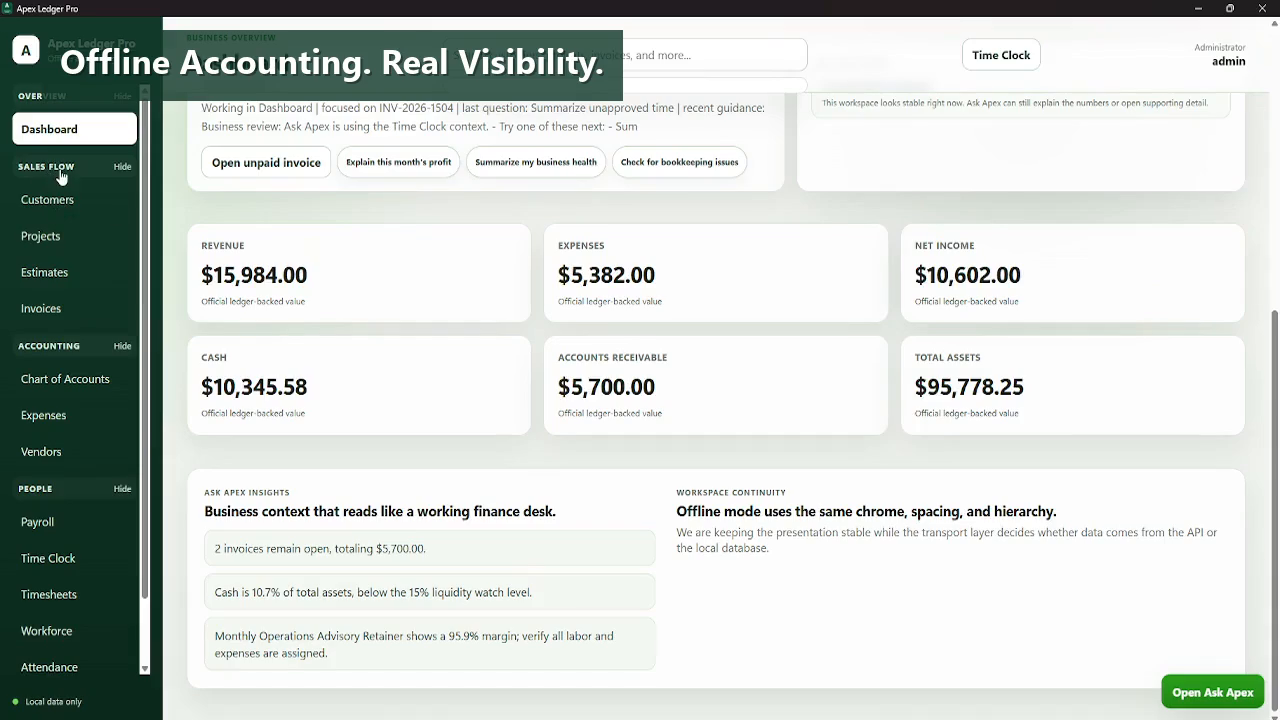
Download the working Free Edition for core accounting now, then move into Ask Apex, planning tools, forecasting, and broader analysis later by activating Founder Edition in the same installation.
Offline accounting software download intent is usually about control.
People who search for offline accounting software download are often trying to reduce cloud dependency, preserve local workflow continuity, or choose desktop software that still works well when internet access is inconsistent or simply not central to the task.
ApexLedgerPro Free supports that position with a local Windows accounting shell that covers the core books first, then leaves premium planning and AI features to Founder Edition for users who want to expand later.
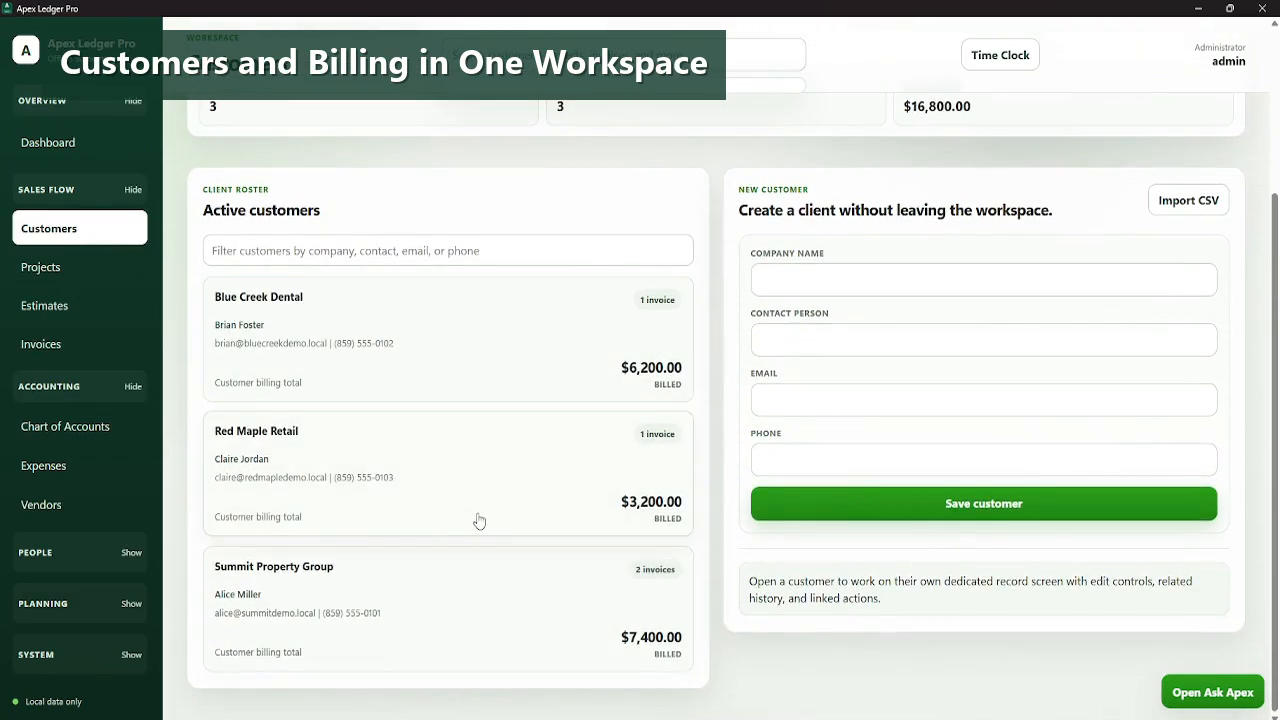
- Offline-first accounting workflow for customers, invoices, and transactions.
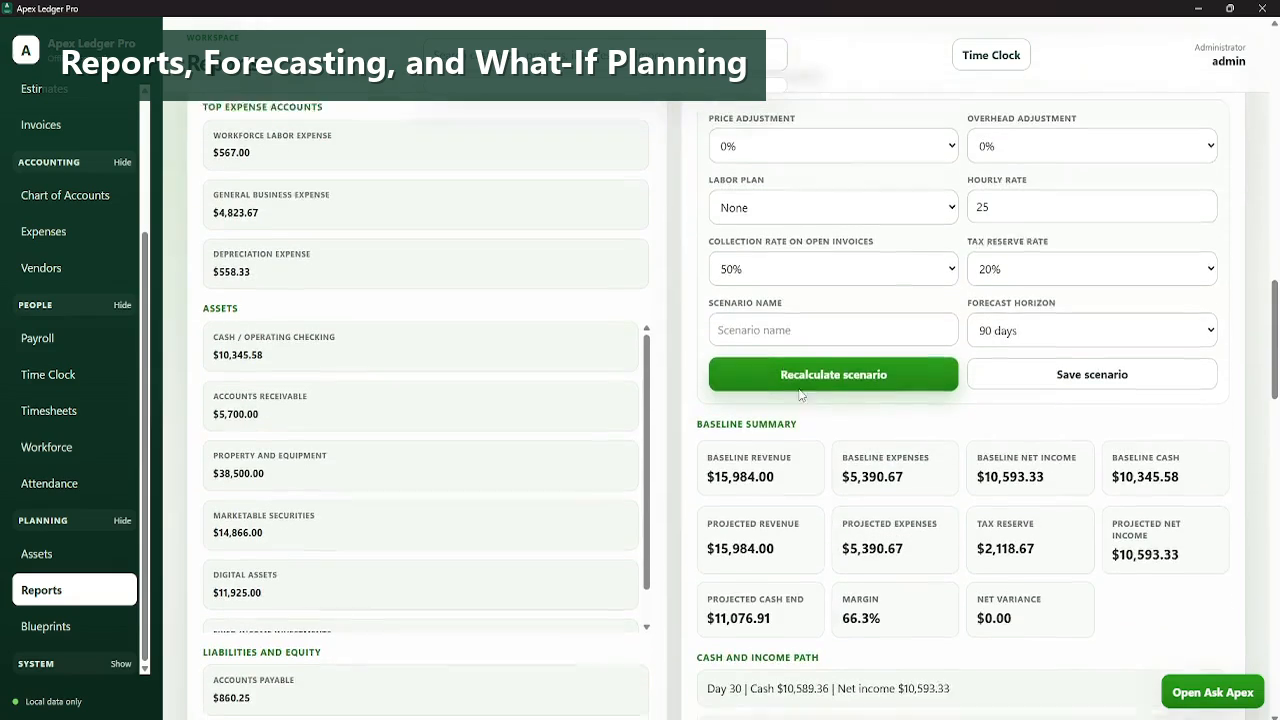
- Ledger-backed financial reports available inside the Windows desktop environment.
- Local backup tools and audit visibility included in the Free Edition.
- Direct path from free download to premium Founder upgrade without reinstalling.
- Related internal pages explain offline accounting software, no-subscription positioning, and desktop workflow tradeoffs.
Made for Windows desktop accounting work.
Explore the rest of the software download pages.
Questions people ask before downloading.
Can ApexLedgerPro be used offline?
Yes. The product is positioned as an offline-first Windows accounting workflow, with internet mainly needed for optional licensing or external site links.
Why do businesses look for offline accounting software downloads?
Usually because they want local control, less cloud dependency, and a desktop workflow that still feels usable without living inside a web app all day.
Does offline use mean giving up reports and invoicing?
No. ApexLedgerPro Free still includes invoicing, transactions, journal entries, and core financial reporting.
Can I still upgrade to Founder Edition later?
Yes. Founder Edition activates inside the same app when you want advanced analysis, AI assistance, and planning features.
Where can I learn more about the offline positioning?
The main offline accounting software page explains the broader value proposition, while this page stays focused on the download decision.