APEXLEDGERPRO
Product Tour
Current desktop workspace

See the current ApexLedgerPro interface the way a real user moves through it.

These are current screenshots from the modern ApexLedgerPro workspace, showing how dashboard visibility, customer workflows, invoices, reporting, assets, settings, and planning tools live inside one desktop system.

Free Edition and Founder Edition use the same install. You can start with the free workflow and unlock deeper tools like assets, blueprints, AI guidance, planning, and advanced reporting inside the same app.
ApexLedgerPro modern dashboard
Modern UI snapshot

The current release keeps accounting workflows, reports, and Ask Apex in one professional desktop shell with less friction between tasks.

What you are seeing

A guided view of the real workflows inside the app.

DashboardTrack KPIs, open work, reminders, and Ask Apex prompts.
OperationsMove through customers, invoices, projects, and payroll-related workflows.
FinanceReview ledger-backed financial statements, reconciliation checks, and asset totals.
PlanningUse blueprints and Founder Edition tools to plan ahead without leaving the main shell.
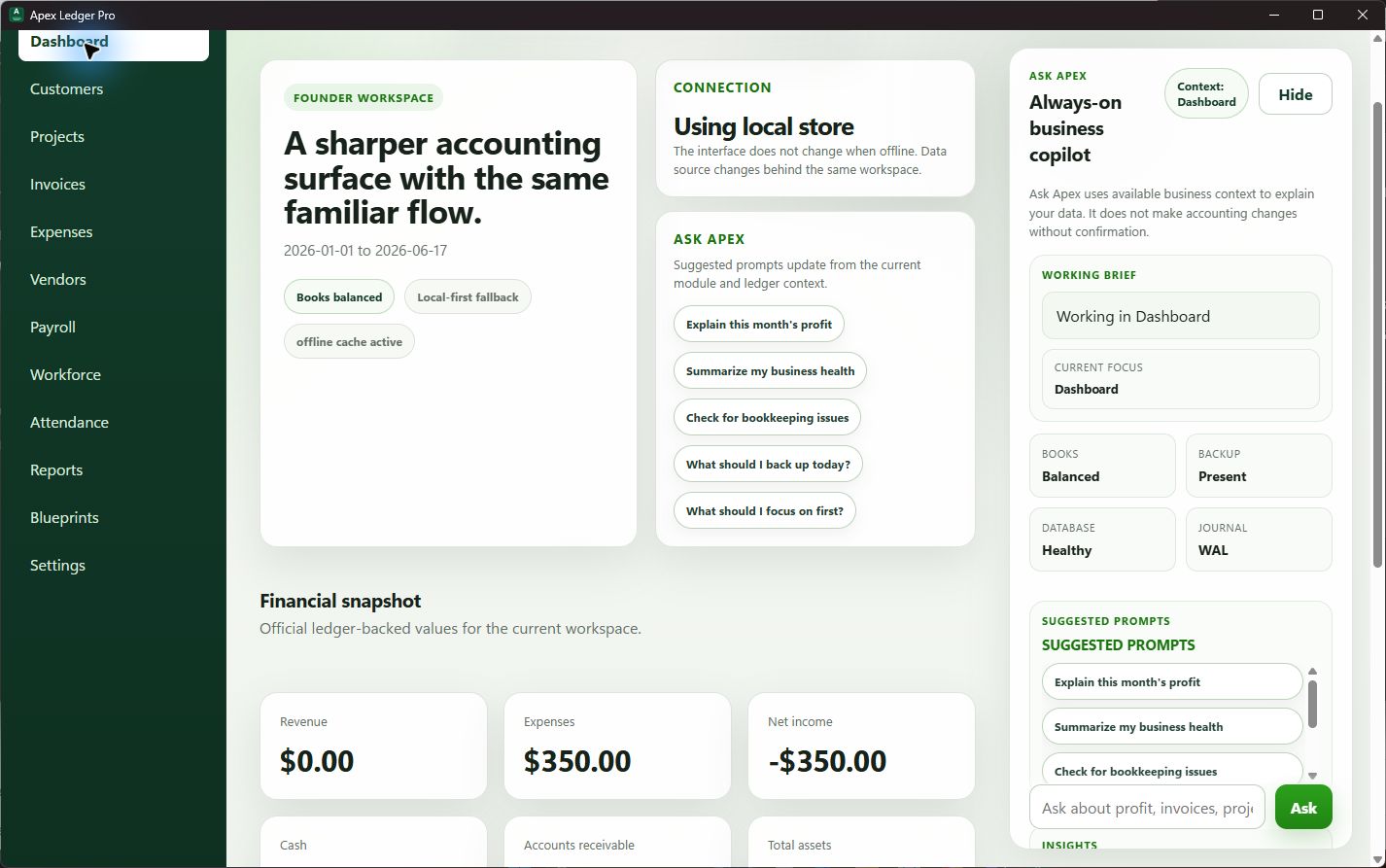
ApexLedgerPro dashboard screenshot
Dashboard

Monitor cash, receivables, payables, and business health at a glance

The home screen brings together KPIs, recent activity, insight prompts, and priority reminders without hiding the accounting detail behind multiple menus.

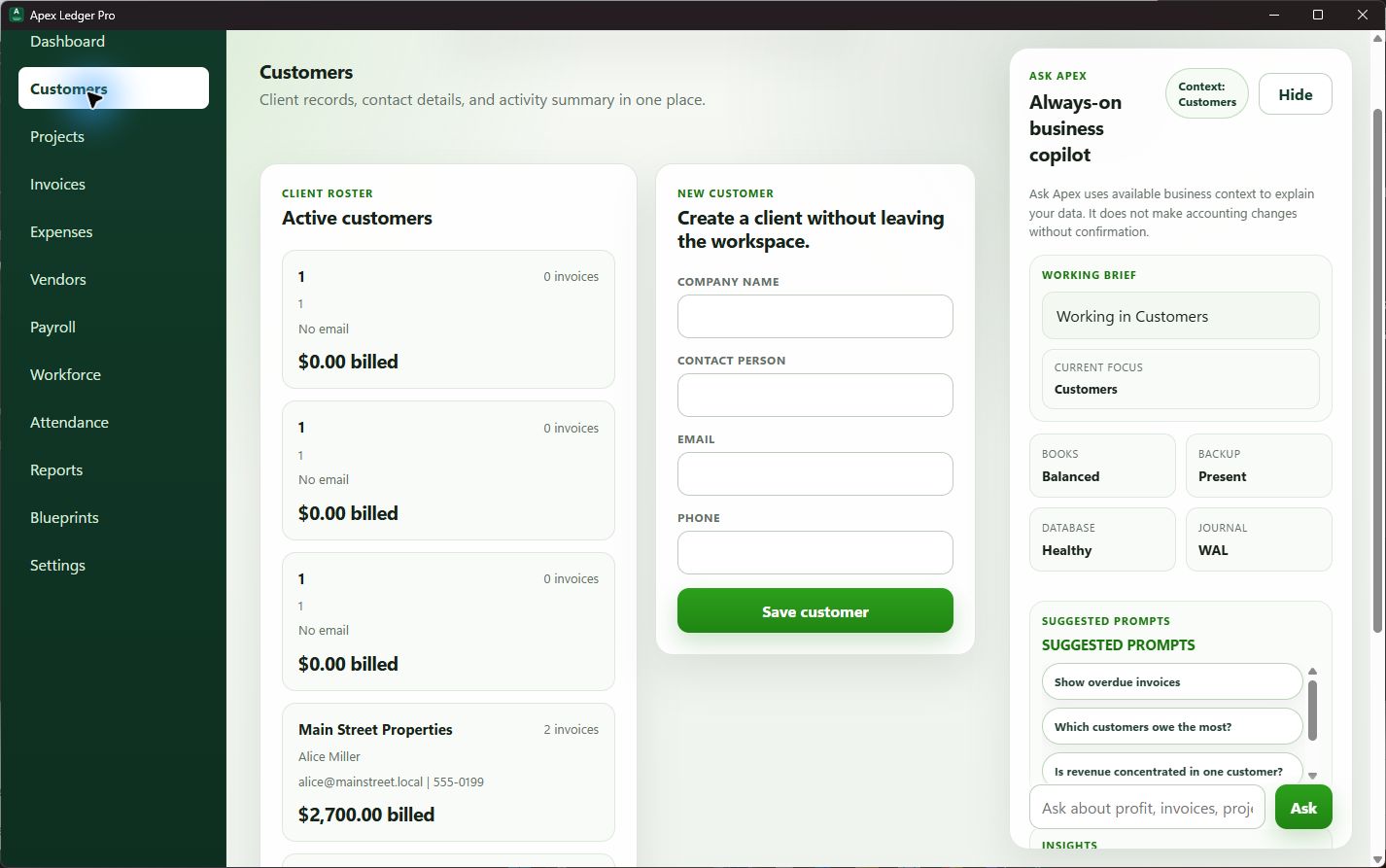
ApexLedgerPro customers workspace screenshot
Customers

Manage clients and billing context from the same workspace

Customer records, balances, invoice counts, and relationship context stay connected to the accounting system rather than living in a disconnected list.

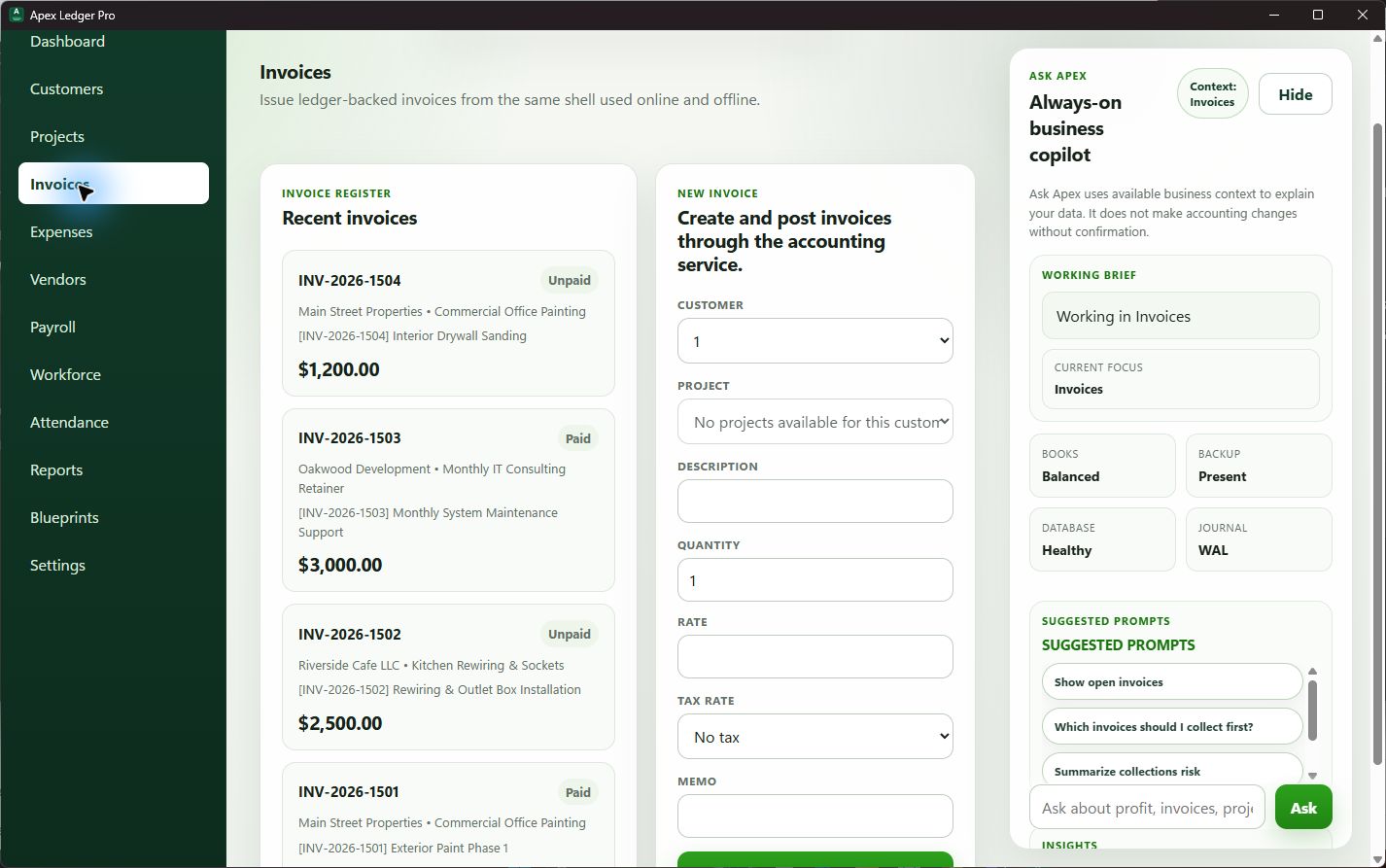
ApexLedgerPro invoices workspace screenshot
Invoices

Create, review, and track customer billing cleanly

Invoice creation, balances, statuses, and receivable visibility stay readable and connected to the rest of the bookkeeping workflow.

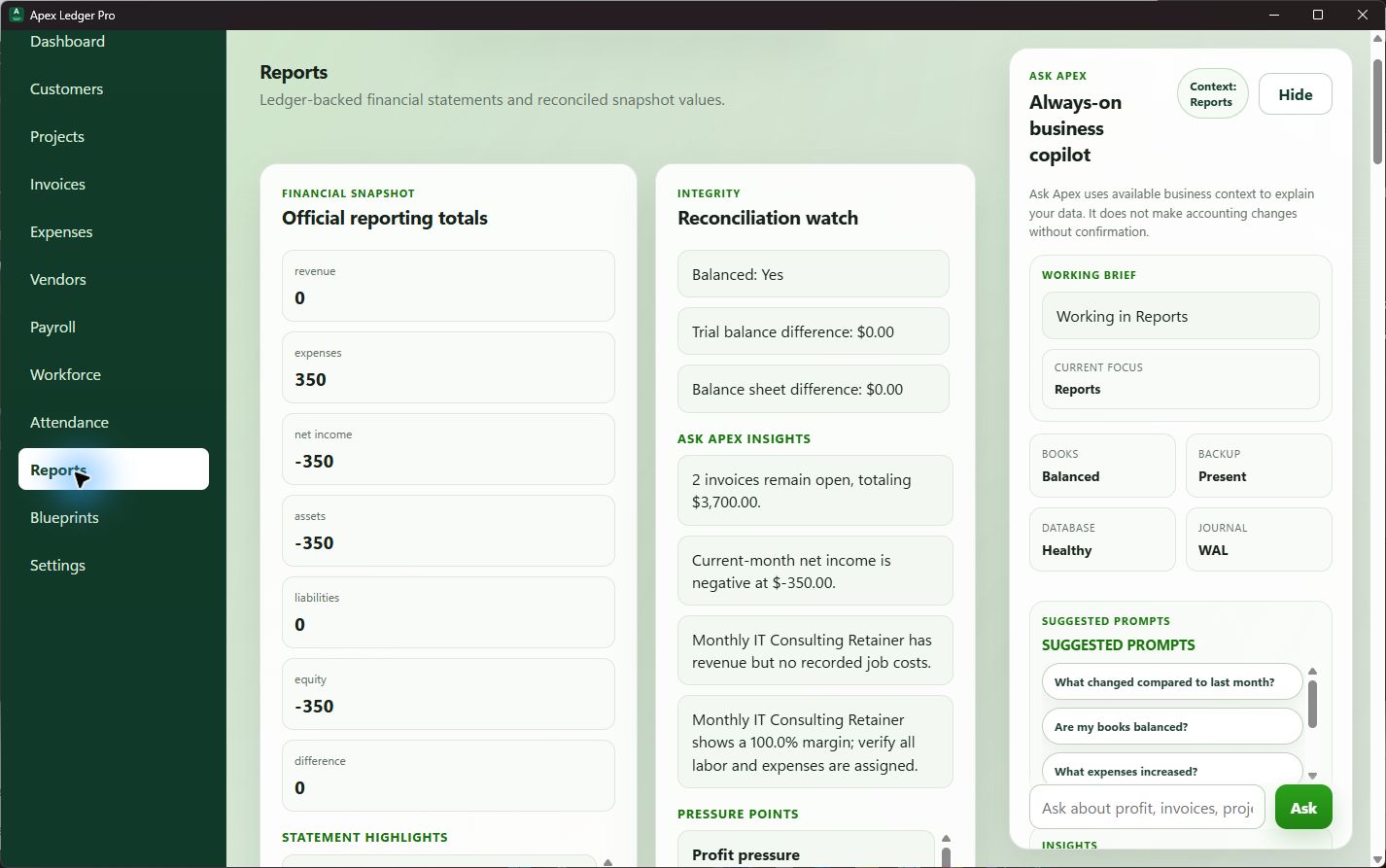
ApexLedgerPro reports workspace screenshot
Reports

Review official financials with reconciliation visibility

Profit and loss, balance sheet, trial balance, and related financial summaries stay grounded in the same accounting source of truth.

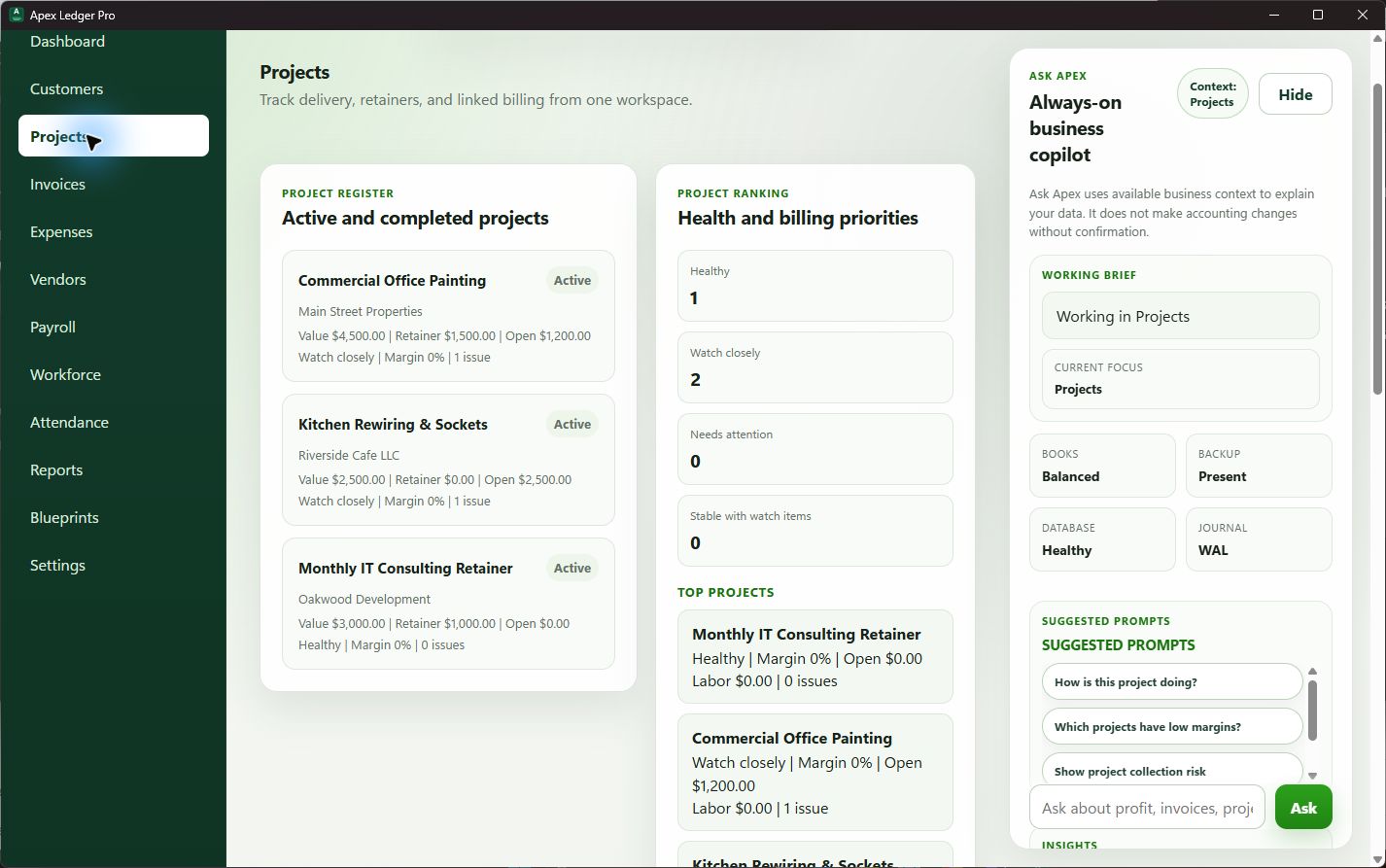
ApexLedgerPro projects workspace screenshot
Projects

Connect active work, retainers, and revenue follow-through

Projects stay visible alongside invoice progress and customer context, making it easier to manage delivery and billing without context switching.

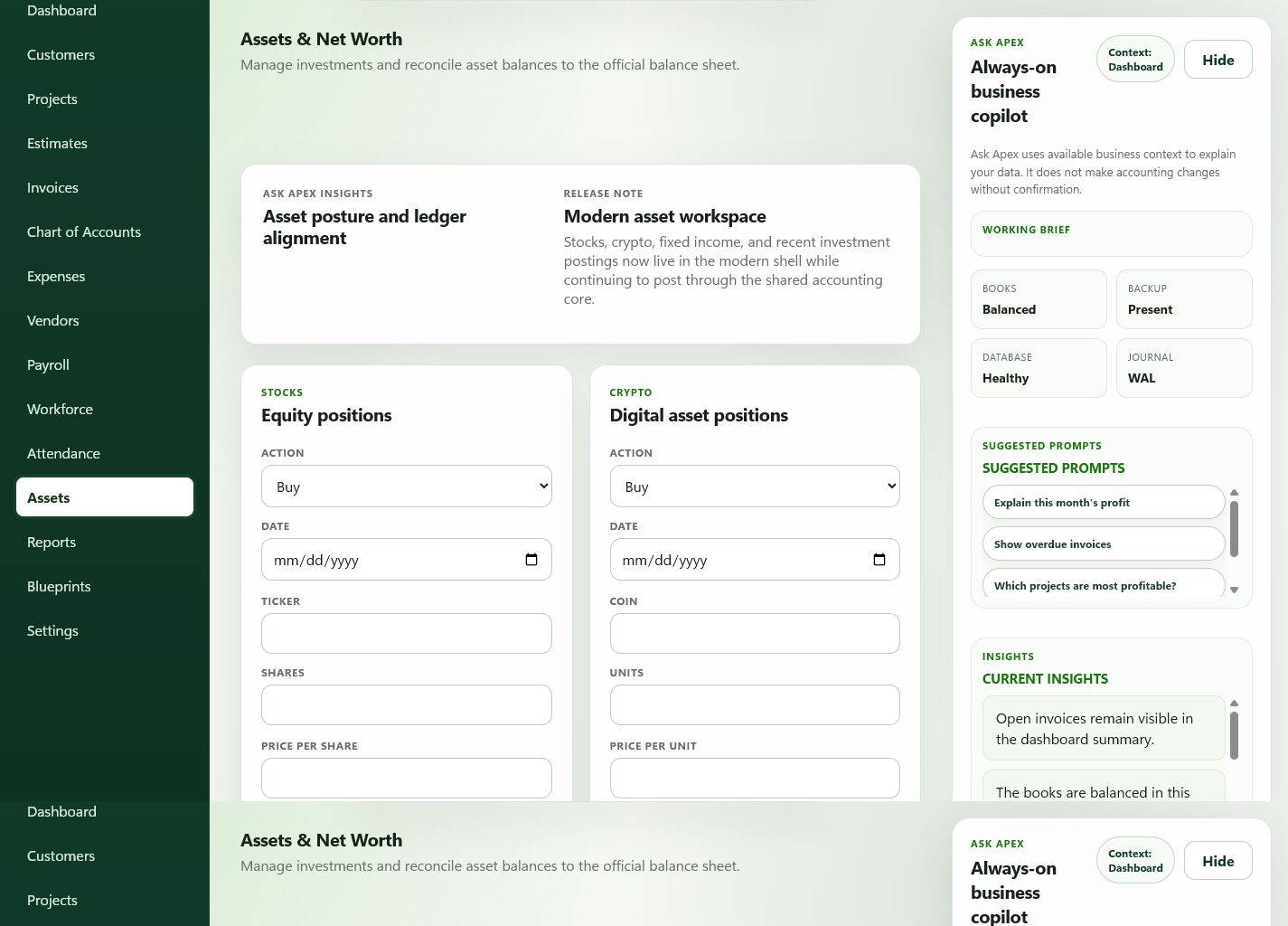
ApexLedgerPro assets and net worth workspace screenshot
Assets

Track stocks, crypto, CDs, bonds, and net worth in one place

The new assets workspace organizes off-ledger investments and fixed income positions with summary totals that can be reviewed alongside the broader financial picture.

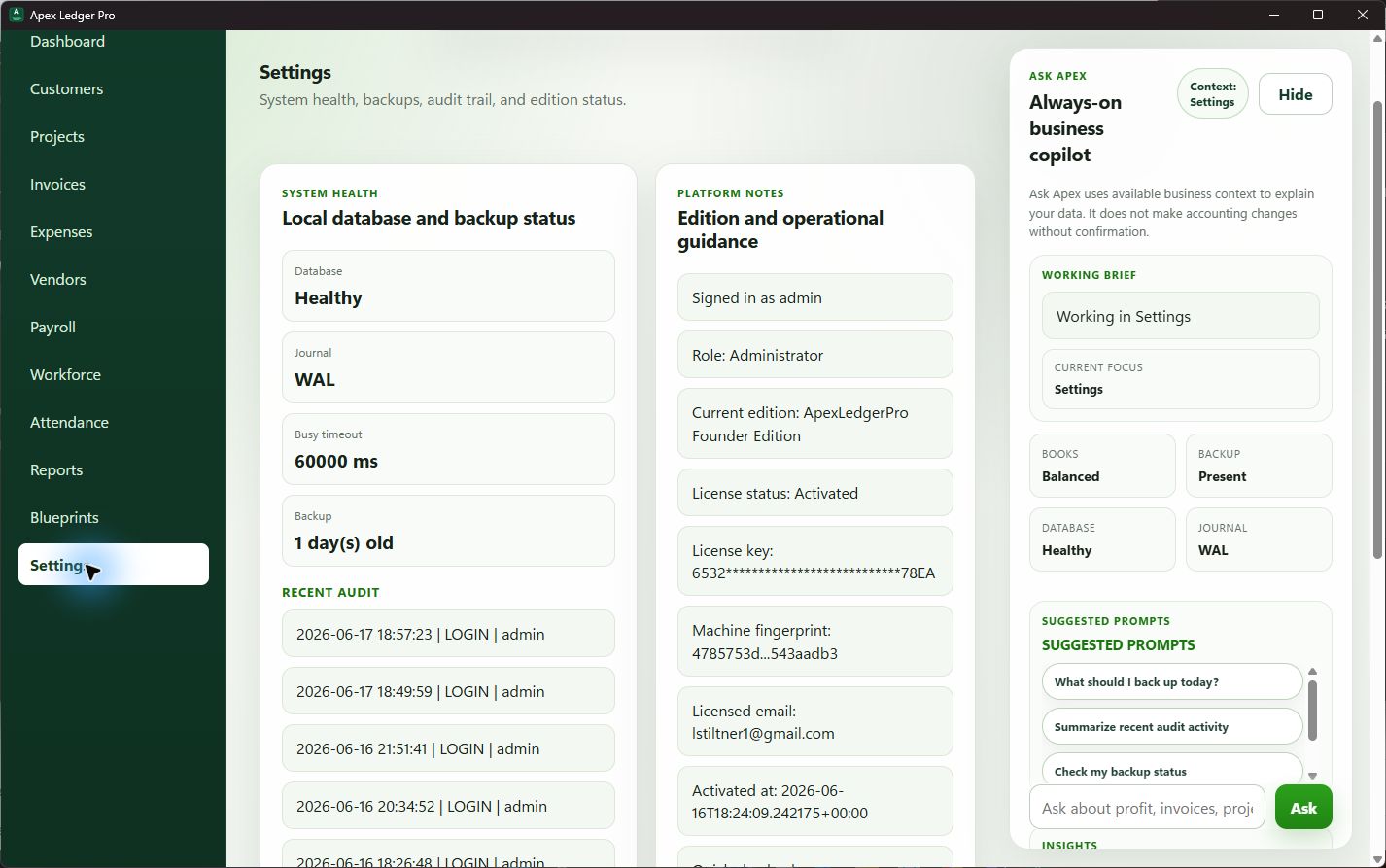
ApexLedgerPro settings workspace screenshot
Settings

Keep backups, edition status, and system health close at hand

Operational status, backup visibility, edition information, and audit-oriented details live in the same system rather than getting buried behind a separate admin console.

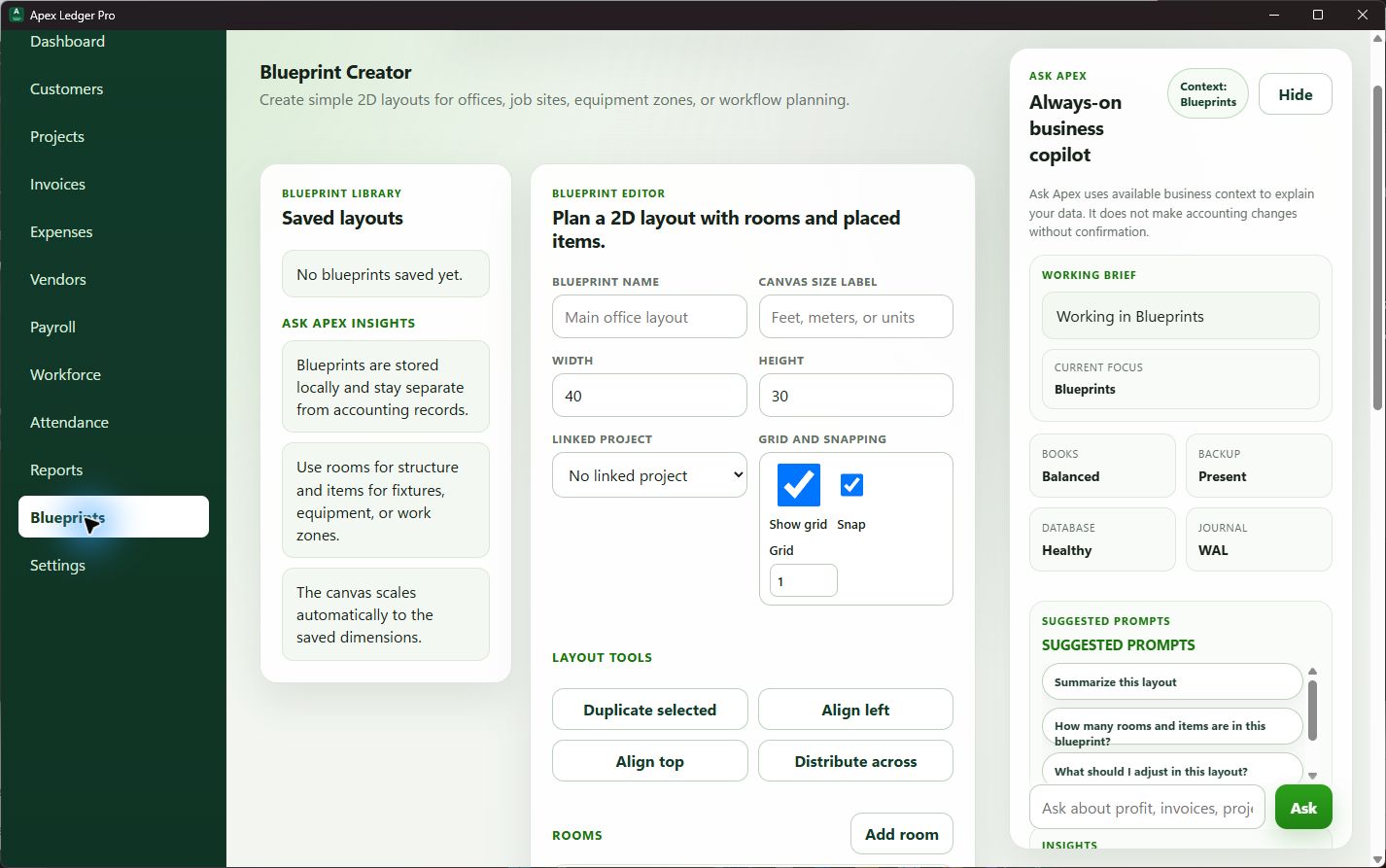
ApexLedgerPro blueprints workspace screenshot
Blueprints

Plan layouts and future work from inside the same product shell

Blueprint tools extend the platform beyond bookkeeping and reporting, helping operational planning sit closer to the rest of the business workflow.