Desktop Accounting Software Download
ApexLedgerPro Free is a desktop accounting software download for small businesses that want a local Windows workflow for invoices, journal entries, reports, chart of accounts management, and day-to-day bookkeeping review.
This page is built for users who are specifically looking for a desktop accounting workflow rather than a browser-only tool. It connects the download decision to real product screenshots, Windows compatibility, and the option to unlock Founder Edition later.
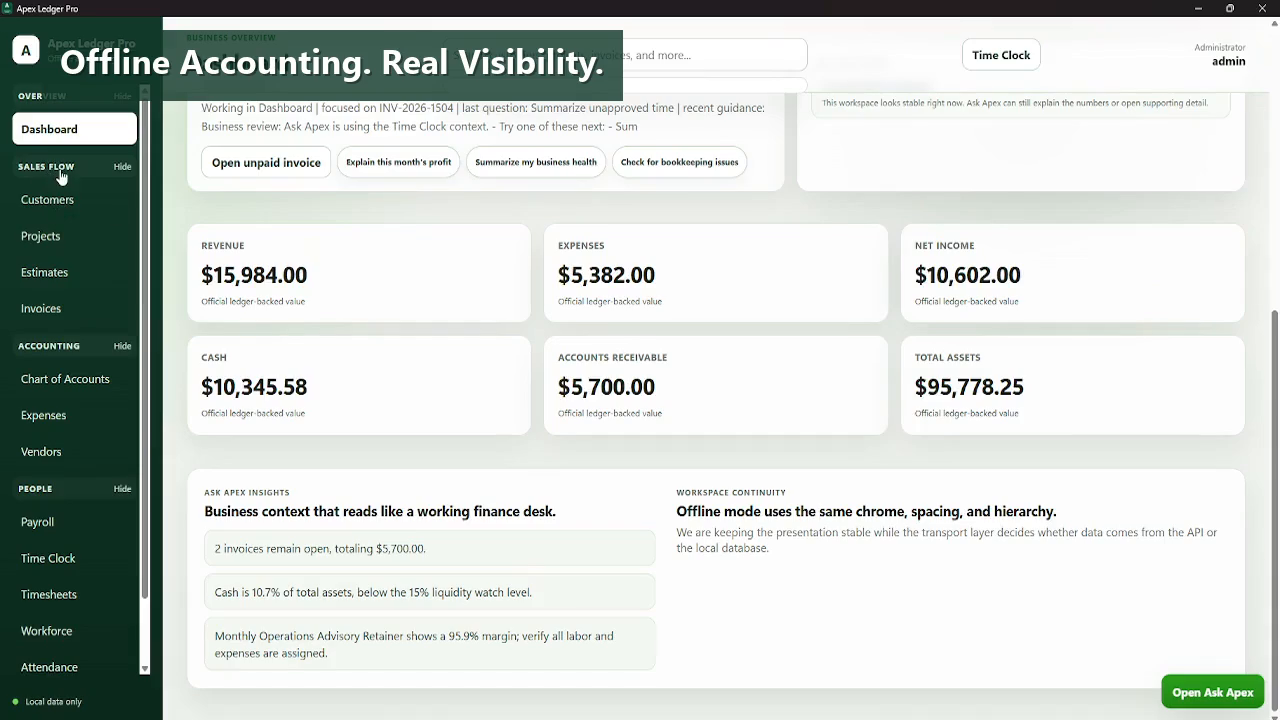
Download the working Free Edition for core accounting now, then move into Ask Apex, planning tools, forecasting, and broader analysis later by activating Founder Edition in the same installation.
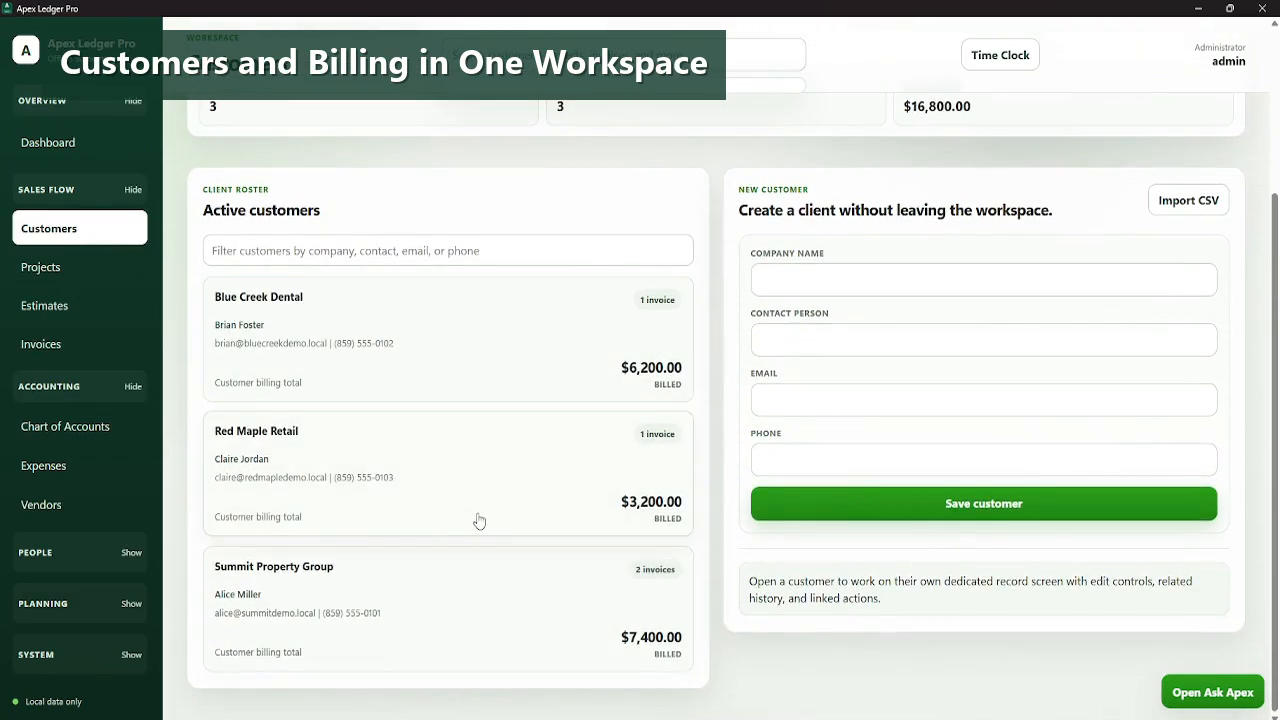
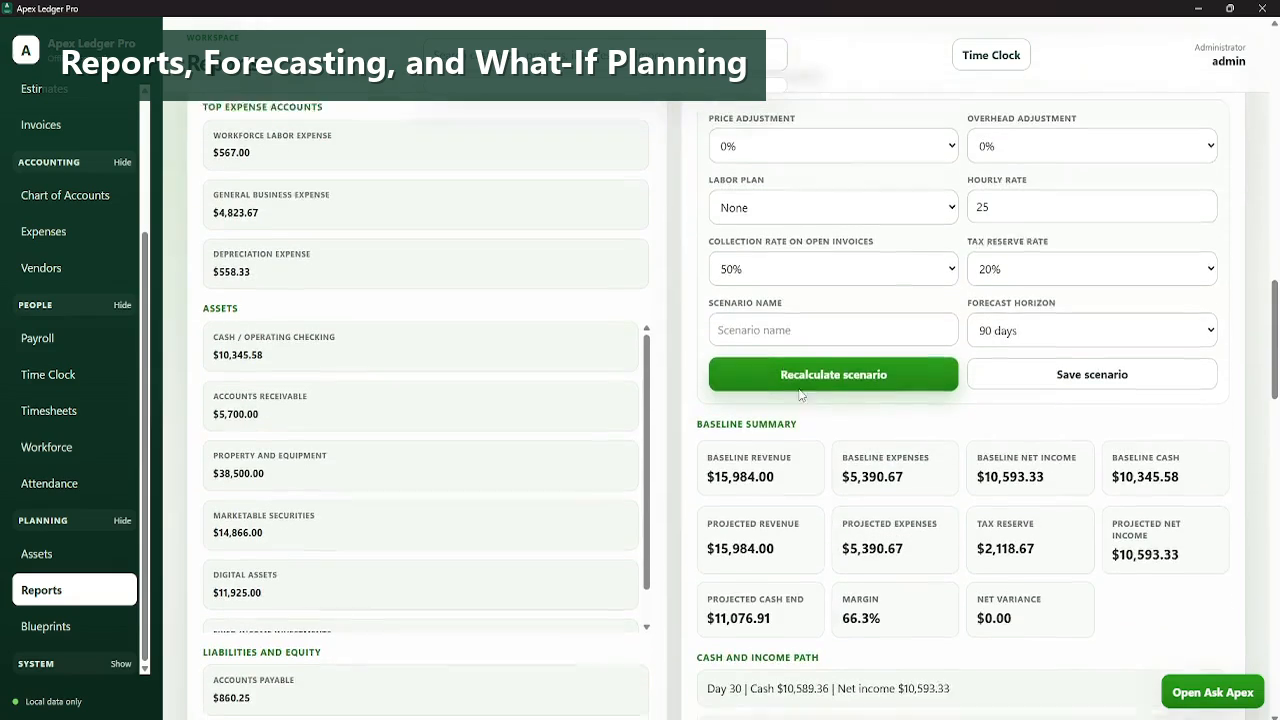
Desktop accounting software still matters when the workflow itself matters.
For many small businesses, desktop accounting software is less about nostalgia and more about focus. A local application can feel more direct for record review, invoice handling, chart of accounts work, and financial reporting when compared with browser-heavy accounting experiences.
ApexLedgerPro Free gives that desktop starting point, while Founder Edition extends the same installation with AI guidance, forecasting, tax tools, budgeting, and more advanced business analysis.
- Desktop-first workflow for accounting setup, billing, and financial review.
- Windows-compatible installation built around local desktop usage.
- Chart of accounts, journal entries, invoices, and reports in the Free Edition.
- Cross-links to desktop accounting comparison, offline software, and small business accounting pages.
- Founder Edition available as an in-app upgrade for users who want deeper intelligence tools.
Made for Windows desktop accounting work.
Explore the rest of the software download pages.
Questions people ask before downloading.
What makes ApexLedgerPro a desktop accounting software download?
It is built as a Windows desktop application with a local accounting workflow, rather than only presenting a browser-based accounting environment.
Is desktop accounting software still useful for small businesses?
Yes. Many owners still prefer a desktop workflow for focus, direct control, and a more local operating model.
What features come with the Free Edition?
The Free Edition includes customers, invoices, chart of accounts, transactions, journal entries, search, local backups, and core financial reports.
Does Founder Edition replace the desktop workflow?
No. Founder Edition builds on the same product and unlocks premium features inside the existing installation.
Where can I compare desktop workflow against cloud accounting?
The desktop accounting comparison page explains how desktop and cloud approaches differ so users can make a more informed choice.