Getting Started with ApexLedgerPro
This page is the fast path for first-time visitors. It shows what to download first, where to see the interface, when to compare editions, and how to avoid getting lost between marketing pages.
The idea is simple: install the Free Edition, learn the current workflow, then use Founder only when Ask Apex, forecasting, tax tools, and deeper visibility are worth unlocking.
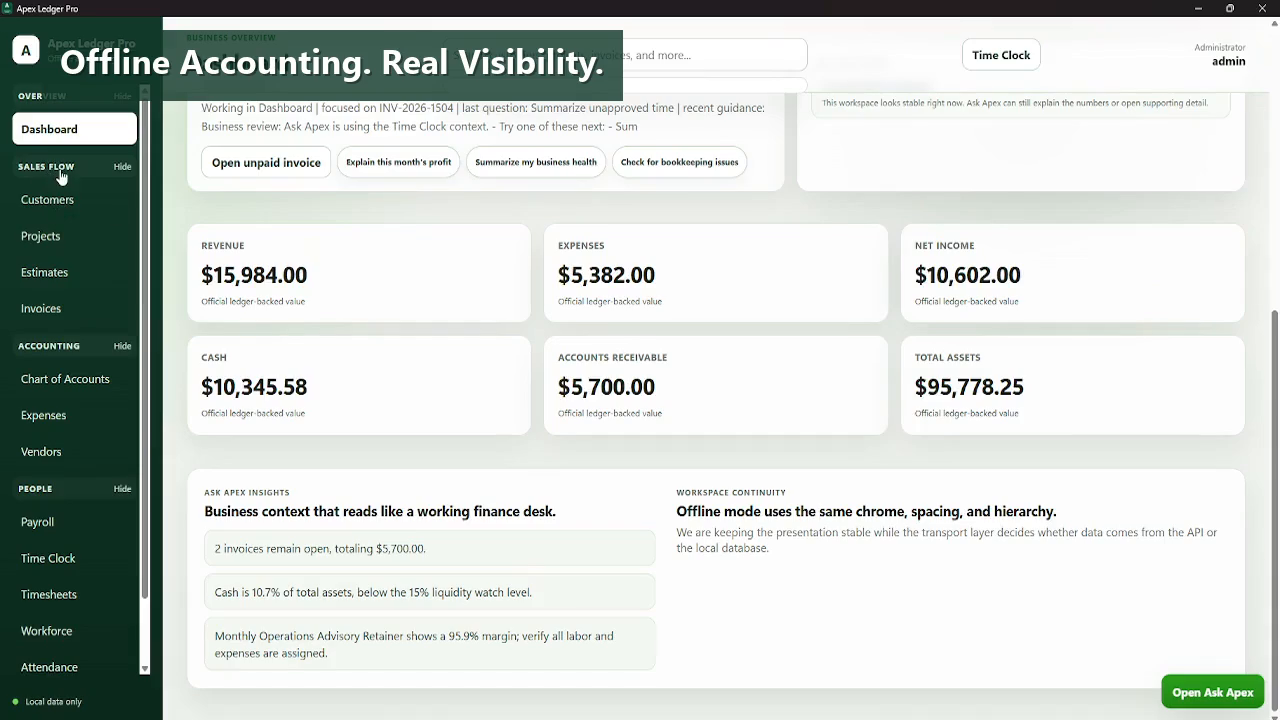
See the product, download the Free Edition, and only then decide whether Founder is the right fit for your workflow.
See the current interface
Visit the Screenshots page first if you want to confirm the app looks like a workflow you would actually use.
Download Free Edition
Use the Download page for the current public Windows build, release notes, and install guidance.
Compare editions only when needed
Use the Compare Editions page once you know you want AI guidance, planning, forecasting, or deeper Founder tools.
Use launch resources
Check the Roadmap, Changelog, and Release Notes pages to see what is live and what is still evolving.