Find Bookkeeping Issues
ApexLedgerPro helps small businesses find bookkeeping issues earlier by keeping reports, invoices, search, and accounting records in one desktop workflow, making it easier to spot unusual movement, overdue balances, and changes that deserve a closer look.
Bookkeeping issues get more expensive when they stay invisible for too long.
Owners often feel that something is off before they can explain it clearly. Better visibility helps turn that vague concern into a more specific review of invoices, expenses, reports, and ledger movement.
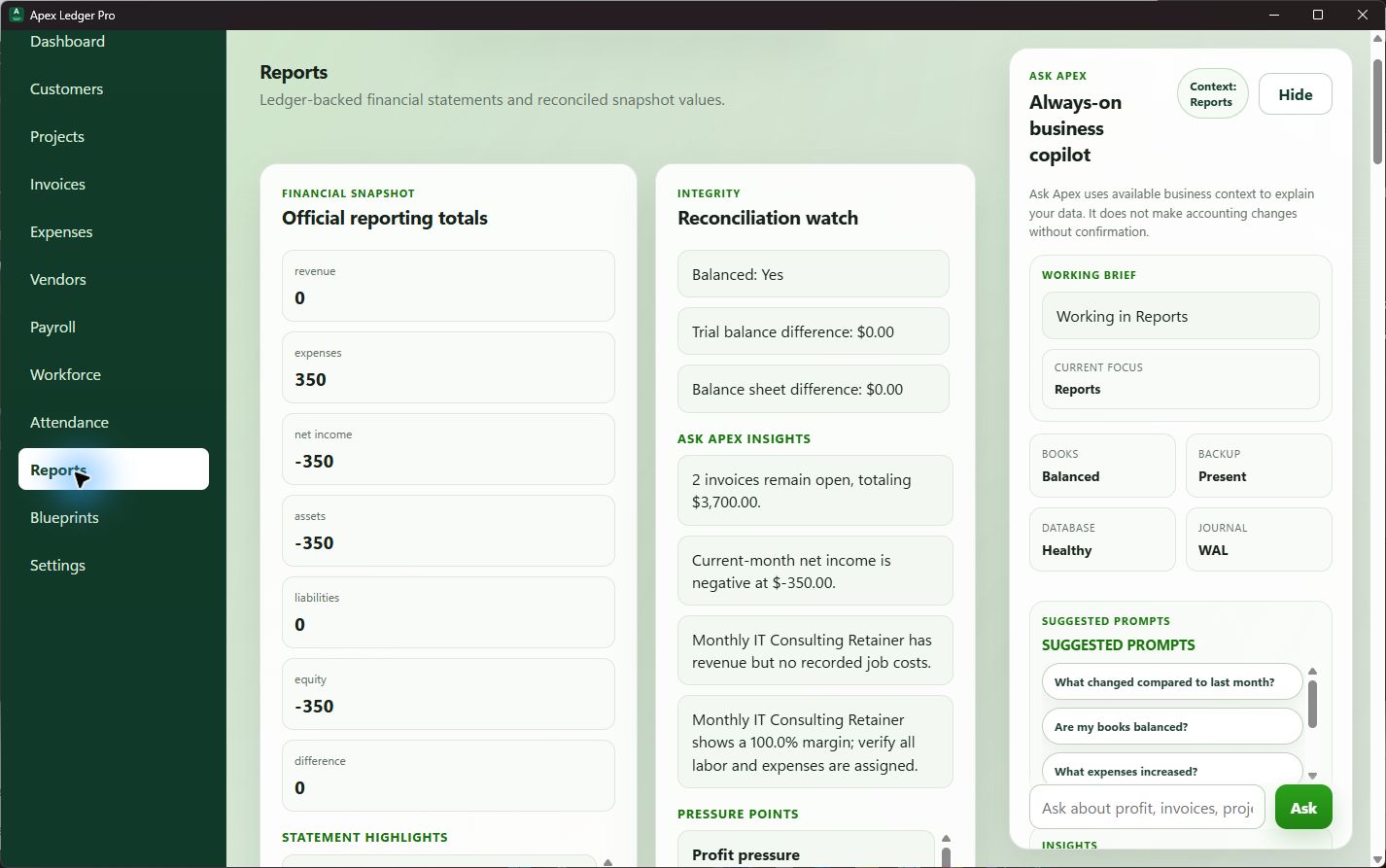
Explain unusual report movement
A bookkeeping issue often shows up first as a number that feels wrong. The key is having enough connected context to figure out why it changed.
Connect invoice follow-up to the accounting picture
Overdue invoices, customer balance issues, and cash expectations are part of bookkeeping quality too, especially when decisions depend on the timing of collections.
Use Ask Apex to narrow the next questions
Founder Edition helps owners use Ask Apex to summarize business health, point out likely problem areas, and decide what to review first.
Finding issues is easier when the workflow stays connected.
ApexLedgerPro Free covers accounting, customers, invoices, reports, search, and backups, giving businesses a cleaner base for investigating what changed. Founder Edition adds Ask Apex and deeper visibility tools that help owners move from concern to explanation faster.
That is why this page connects naturally to financial visibility software, how to improve financial visibility, and track overdue invoices when the bookkeeping concern is tied to receivables follow-up or cash timing.
Ask questions that help isolate the problem.
The fastest way to find a bookkeeping issue is often to ask better questions about what changed, where it changed, and what else moved with it.
Use the resource hub to keep narrowing the issue.
The best bookkeeping fixes usually come from clearer visibility, better receivables review, and more grounded follow-up questions about the reports.
Frequently asked questions about bookkeeping issues
What are common bookkeeping issues in a small business?
Common bookkeeping issues include misclassified expenses, missing transactions, overdue receivables that distort cash expectations, unclear report movement, and weak follow-through on reconciliations or ledger review.
How can software help find bookkeeping issues?
Software can help by keeping accounting records, reports, search, invoices, and ledger activity closer together so business owners can review changes more clearly and ask better follow-up questions.
How does ApexLedgerPro help identify bookkeeping issues?
ApexLedgerPro connects reports, invoices, search, and Ask Apex guidance so owners can look for unusual expense movement, overdue invoices, report changes, and other signals that deserve attention.
Can Ask Apex fix bookkeeping issues automatically?
No. Ask Apex explains, summarizes, and suggests follow-up actions, but it does not automatically create, delete, post, void, or reverse accounting transactions without explicit user confirmation.
Start with the accounting foundation, then add deeper guidance if you need it.
Begin with ApexLedgerPro Free for accounting, invoices, reports, search, and backups. Upgrade to Founder Edition when you want Ask Apex, broader visibility, and faster help explaining what changed.