AI Accounting Software
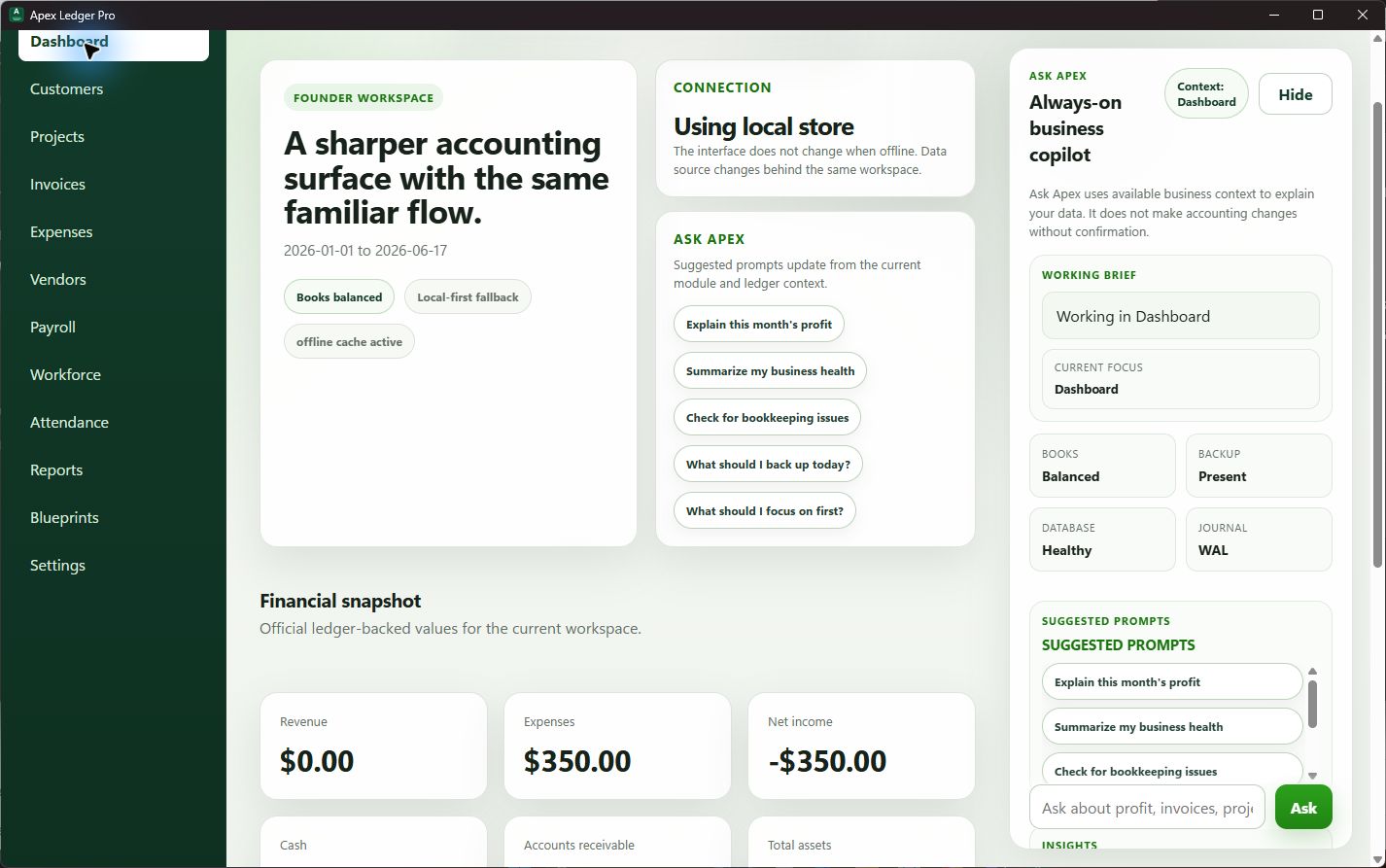
ApexLedgerPro combines desktop accounting software with Ask Apex, an AI business copilot that helps owners explain reports, review bookkeeping issues, understand cash flow pressure, and move from raw numbers to clearer next steps.
AI is most useful when it helps owners understand the books faster.
The goal is not a generic chatbot. The goal is AI that can read business context, explain report movement, and help small business owners make better decisions from the accounting records already in front of them.
Explain financial reports in plain language
Ask Apex helps owners move from report totals to practical understanding by explaining what changed and what deserves attention.
Highlight overdue invoices and unusual movement
AI becomes more valuable when it points to receivables issues, rising expenses, weak cash flow, or bookkeeping patterns that are easy to miss.
Keep AI inside a practical accounting workflow
ApexLedgerPro is positioned around real workflows and user control, so the AI layer stays tied to accounting context instead of acting like a separate novelty feature.
AI works better when the accounting foundation is already solid.
ApexLedgerPro Free handles core accounting, customers, invoices, transactions, financial statements, search, and backups. Founder Edition adds Ask Apex, planning tools, and deeper visibility features so AI sits on top of a real accounting workflow instead of replacing it.
That is also why this page connects naturally to offline accounting software, desktop accounting software, accounting software without subscription, and find bookkeeping issues when something in the books needs explaining.
Ask questions that move the business forward.
A good AI accounting assistant should help owners ask better questions about performance, receivables, cash flow, tax exposure, and bookkeeping quality instead of just repeating generic finance advice.
Keep exploring AI, reporting, and visibility in the resource hub.
Use the resource hub and financial visibility cluster to connect Ask Apex with the reporting and bookkeeping workflow it is meant to support.
Frequently asked questions about AI accounting software
What is AI accounting software?
AI accounting software combines accounting workflows with AI-assisted explanations, insights, or guidance that help users understand reports, find issues faster, and make better decisions.
How does ApexLedgerPro use AI?
ApexLedgerPro uses Ask Apex to help explain profit changes, summarize business health, highlight overdue invoices, and point out bookkeeping issues while keeping accounting workflows grounded in the core records.
Does Ask Apex automatically change accounting data?
No. Ask Apex is designed to explain, guide, and suggest actions. It does not automatically create, delete, post, void, or reverse accounting transactions without explicit user confirmation.
Can I start without the AI features?
Yes. ApexLedgerPro Free covers core accounting, invoices, reports, search, and backups. Founder Edition adds Ask Apex and deeper planning features when the business is ready for them.
Start with core accounting and add AI when it matters.
Begin with ApexLedgerPro Free for accounting, invoicing, reports, search, and backups. Upgrade to Founder Edition when you want Ask Apex, deeper insights, forecasting, and more advanced visibility tools.