Accounting Software for Contractors
ApexLedgerPro helps contractors keep invoices, expenses, reporting, and business visibility in one desktop workflow so it is easier to understand profit, track unpaid invoices, and reduce bookkeeping confusion across jobs and customers.
Contractors need clearer numbers, not more scattered tools.
When estimates, invoices, expenses, and financial reporting live in disconnected places, it becomes harder to know whether jobs are profitable and what needs attention next.
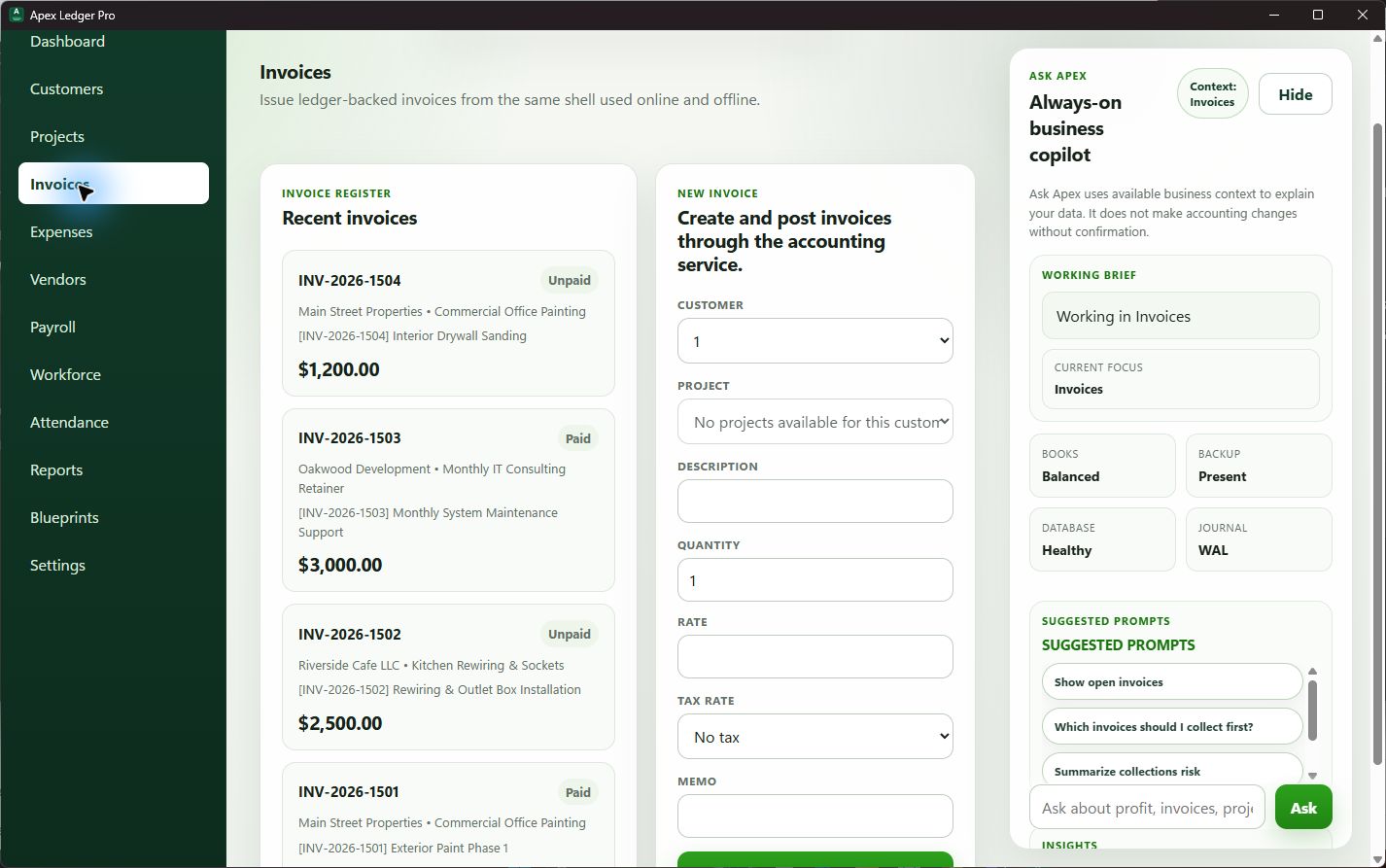
See unpaid invoices before they hurt the schedule
Contractors often feel cash pressure when receivables slip. Keeping invoice tracking closer to the books helps owners follow up earlier.
Understand profitability with fewer spreadsheet handoffs
A connected reporting workflow makes it easier to review Profit and Loss, expenses, and general ledger activity without rebuilding the story manually.
Ask better business questions
Founder Edition adds Ask Apex explanations and planning tools that help contractors move from raw numbers to practical next steps.
Contractors need accounting tied to day-to-day follow-through.
ApexLedgerPro helps business owners connect invoices, expenses, reporting, and search inside one desktop accounting workflow. That makes it easier to review customer balances, understand expense movement, and keep decision-making closer to the books.
This page fits naturally with offline accounting software, desktop accounting software, and accounting software without subscription.
Use plain-language guidance to review contractor performance.
Ask Apex can help explain profit changes, summarize business health, point out overdue invoices, and highlight bookkeeping issues without forcing owners to interpret every report alone.
Keep exploring the accounting and visibility resource hub.
Use the resource hub and financial visibility guides to keep building a clearer accounting workflow around receivables, reporting, and contractor decision-making.
Browse accounting guides and software education pages from one central index. Financial Visibility Software
See how clearer visibility helps owners make faster decisions. How to Improve Financial Visibility
Follow a practical process for improving the workflow behind your reporting. Job Costing Software for Contractors
Move deeper into contractor profitability, job visibility, and margin review.
Frequently asked questions about accounting software for contractors
What accounting software features matter most for contractors?
Contractors usually need clear job tracking, invoice follow-up, expense visibility, profit review, and reporting that helps them understand whether projects are actually making money.
Is ApexLedgerPro a good fit for small contractors?
ApexLedgerPro is designed for small businesses that want accounting, invoicing, reporting, and business visibility in one desktop workflow. That makes it useful for contractors who want fewer disconnected tools.
How does ApexLedgerPro help contractors improve financial visibility?
It connects invoicing, expenses, financial statements, search, and Ask Apex guidance so owners can review profitability, unpaid invoices, and bookkeeping issues from one place.
Can contractors start with the Free Edition?
Yes. Contractors can start with ApexLedgerPro Free for core accounting, invoices, reports, and backups, then upgrade to Founder Edition later for Ask Apex, planning tools, and deeper analysis.
Start with the contractor workflow you need now.
Begin with ApexLedgerPro Free for core accounting, invoices, reports, search, and backups. Upgrade to Founder Edition when you want Ask Apex, forecasting, and deeper visibility in the same installation.